Article
Claude Code on AWS: Setup Guide for Bedrock, Self-Hosted Models, and Choosing the Right Plan
Claude Code is Anthropic's AI-powered coding assistant that lives in your terminal, IDE, or browser. It reads your codebase, runs commands, writes and edits files, and handles complex multi-step engineering tasks — from debugging to feature implementation to refactoring — all guided by natural-language instructions.
For organizations running on AWS, Claude Code can be connected directly to Amazon Bedrock or to self-hosted models inside your own VPC. This guide walks through both paths end to end: prerequisites, configuration, IAM setup, model pinning, networking, enterprise rollout, and operational best practices.
Quick Decision Matrix
| You need… | Choose |
|---|---|
| AWS billing and IAM governance | Bedrock |
| Claude apps out of the box (web, mobile, desktop) | Team / Enterprise |
| Open-source models in your VPC | Self-hosted |
| Engineering + business users together | Hybrid |
Bedrock vs. Claude Team/Enterprise: AWS-Native Control or First-Party SaaS
The choice comes down to AWS-native control versus the first-party Claude app experience. Anthropic's own deployment overview positions Claude Team/Enterprise as the best experience for most organizations, while Bedrock is the best fit for AWS-native deployments.
Claude on Amazon Bedrock
Bedrock is the right fit for organizations with AWS-native deployments that want:
- AWS billing and governance. Bedrock consumption is usage-based and appears on your standard AWS bill. AWS also offers reserved capacity, batch inference, and other pricing tiers beyond on-demand. Bedrock spend may draw down an existing AWS Enterprise Discount Program (EDP) commitment; confirm eligibility with your AWS account team, as terms vary.
- Security controls anchored in AWS. Requests are governed through AWS IAM, processed within your selected region, encrypted at rest and in transit, and not shared with model providers. Optional PrivateLink and VPC connectivity provide additional network-level isolation.
- AWS application-building services. Beyond model invocation, Bedrock provides evaluation, fine-tuning, RAG (knowledge bases), agents, guardrails, and collaborative workflows through SageMaker Unified Studio.
The important caveat: Bedrock does not include the Claude app experience. Customers using Bedrock do not get the Claude web, iOS, Android, or desktop applications, nor Claude app features such as Projects, Artifacts, connectors, and collaboration workflows that come out of the box with a Claude plan. If you need Claude on web/desktop/mobile, built-in collaboration, and workplace connectors out of the box, compare Bedrock against Claude Team or Enterprise — not just Bedrock alone.
Claude Team and Enterprise (Seat-Based SaaS)
Claude Team and Enterprise plans operate outside the AWS ecosystem with a seat-based subscription model (standard and premium tiers, with optional extra usage and spend controls). What they deliver is fastest end-user adoption:
- Native web, iOS, Android, and desktop access to Claude
- Projects, Artifacts, and collaboration workflows
- Workplace connectors (Google Workspace available broadly; custom connectors also available beyond Team)
- Claude Code and Claude Cowork included
- Organizational admin, centralized billing, and security controls
- Enterprise adds SSO/SCIM, expanded retention, and advanced admin controls
Which Path Is Right?
| Dimension | Claude on Bedrock | Claude Team / Enterprise |
|---|---|---|
| Billing model | Usage-based (on-demand, reserved, batch); may draw down EDP | Seat-based subscription (standard / premium) with optional extra usage |
| Data and security | IAM, regional processing, encryption, optional PrivateLink/VPC | Anthropic-managed infrastructure with platform-level controls |
| Claude app experience | Not included — model API plus AWS app-building services | Full experience: web/mobile/desktop apps, Projects, Artifacts, connectors |
| AI development services | Evaluation, fine-tuning, RAG, agents, guardrails, SageMaker | Not applicable — user-focused SaaS |
| Best for | Engineering teams, custom integrations, AWS-native workflows | Broad organizational adoption, fastest time-to-value, non-technical users |
Many of our customers adopt both: Bedrock for engineering teams and custom applications, plus a Claude Team or Enterprise plan for business users. Elevata can help you design this hybrid approach.
Scenario 1: Claude Code with Amazon Bedrock
AWS Bedrock provides fully managed access to Anthropic's Claude models without hosting or scaling infrastructure. For teams already operating on AWS, this is the most direct path to enabling Claude Code.
Prerequisites
- An AWS account with Bedrock access enabled
- Required AWS Marketplace permissions (detailed below)
- AWS CLI installed and configured (optional)
Step 1: Enable Model Access
To use Claude through Amazon Bedrock, ensure your account has the required AWS Marketplace permissions, then complete Anthropic's one-time First Time Use form. Bedrock can auto-enable serverless model access on first use, though the initial subscription/setup can take several minutes before calls succeed consistently.
- Navigate to Amazon Bedrock in the AWS Console.
- Go to Model access and select the desired Claude models.
- Complete Anthropic's use-case form (once per account). Access is granted immediately after submission.
- Allow a few minutes for the initial subscription to process before making your first API call.
Step 2: Request Service Quota Increases
Default quotas may be insufficient for team-wide usage. Request increases proactively:
| Quota | Default | Recommended Action |
|---|---|---|
| InvokeModel requests/min | Varies by model | Increase based on team size (est. 5–10 RPM per developer) |
| InvokeModelWithResponseStream | Varies by model | Proportional increase (Claude Code uses streaming) |
| Max tokens per request | Model-dependent | Verify alignment with Claude Code's context window |
Step 3: Configure IAM Permissions
Create an IAM policy with the minimum permissions for Claude Code:
{
  "Version": "2012-10-17",
  "Statement": [
    {
      "Sid": "AllowModelAndInferenceProfileAccess",
      "Effect": "Allow",
      "Action": [
        "bedrock:InvokeModel",
        "bedrock:InvokeModelWithResponseStream",
        "bedrock:ListInferenceProfiles"
      ],
      "Resource": [
        "arn:aws:bedrock:*:*:inference-profile/*",
        "arn:aws:bedrock:*:*:application-inference-profile/*",
        "arn:aws:bedrock:*:*:foundation-model/*"
      ]
    },
    {
      "Sid": "AllowMarketplaceSubscription",
      "Effect": "Allow",
      "Action": [
        "aws-marketplace:ViewSubscriptions",
        "aws-marketplace:Subscribe",
        "aws-marketplace:Unsubscribe"
      ],
      "Resource": "*",
      "Condition": {
        "StringEquals": {
          "aws:CalledViaLast": "bedrock.amazonaws.com"
        }
      }
    }
  ]
}
Scope permissions to specific model ARNs for more restrictive access. Create a dedicated AWS account for Claude Code to simplify cost tracking and access control.
Step 4: Configure Claude Code Environment Variables
# Enable Bedrock integration
export CLAUDE_CODE_USE_BEDROCK=1
export AWS_REGION=us-east-1  # or your preferred region

# Optional: Override the region for the small/fast model (Haiku)
export ANTHROPIC_SMALL_FAST_MODEL_AWS_REGION=us-west-2
Important: AWS_REGION must be set explicitly. Claude Code does not read from .aws/config. When using Bedrock, /login and /logout commands are disabled.
Step 5: Configure AWS Authentication
| Method | Best For | Setup |
|---|---|---|
| AWS SSO / Identity Center | Enterprise teams with centralized identity | aws sso login --profile=<profile> and set AWS_PROFILE |
| IAM Access Keys | Individual developers or service accounts | Set AWS_ACCESS_KEY_ID and AWS_SECRET_ACCESS_KEY |
| Bedrock API Keys | Exploration and prototyping | Set AWS_BEARER_TOKEN_BEDROCK |
| Instance/Container Role | CI/CD pipelines or cloud workstations | No configuration needed |
Note on Bedrock API Keys: API-key usage is governed by the bedrock:CallWithBearerToken permission. AWS recommends long-term Bedrock API keys mainly for exploration; for production, prefer temporary credentials (SSO, instance roles) for stronger security.
For SSO with credential refresh, add awsAuthRefresh to your Claude Code configuration:
{
  "awsAuthRefresh": "aws sso login --profile myprofile",
  "env": {
    "AWS_PROFILE": "myprofile"
  }
}
Step 6: Pin Model Versions
Critical for production stability. Without pinning, Claude Code may attempt to use a newer model version unavailable in your Bedrock account.
export ANTHROPIC_DEFAULT_OPUS_MODEL='us.anthropic.claude-opus-4-6-v1'
export ANTHROPIC_DEFAULT_SONNET_MODEL='us.anthropic.claude-sonnet-4-6'
export ANTHROPIC_DEFAULT_HAIKU_MODEL='us.anthropic.claude-haiku-4-5-20251001-v1:0'
For multiple model versions, use modelOverrides:
{
  "modelOverrides": {
    "claude-opus-4-6": "arn:aws:bedrock:us-east-2:123456789012:application-inference-profile/opus-46-prod",
    "claude-opus-4-5-20251101": "arn:aws:bedrock:us-east-2:123456789012:application-inference-profile/opus-45-prod"
  }
}
Step 7: Enable AWS Guardrails (Optional)
Create a Guardrail in the Bedrock console, publish a version, then add the headers:
{
  "env": {
    "ANTHROPIC_CUSTOM_HEADERS": "X-Amzn-Bedrock-GuardrailIdentifier: your-guardrail-id\nX-Amzn-Bedrock-GuardrailVersion: 1"
  }
}
Cross-Region Inference
Cross-region inference profiles (model IDs prefixed with us. or eu.) allow Bedrock to route requests across configured regions to improve throughput and performance. Enable cross-region inference on your Guardrails if using these profiles.
Scenario 2: Self-Hosted Models on AWS
Organizations that need to run open-source or third-party models can host them within their own AWS VPC and connect Claude Code to these self-managed inference endpoints. This provides full control over model selection, data residency, and cost, but requires additional infrastructure management and comes with compatibility limitations.
Provision GPU Compute
| Instance Family | GPU | Use Case |
|---|---|---|
| p4d / p4de | NVIDIA A100 (40/80 GB) | Large models (70B+) |
| p5 | NVIDIA H100 | Highest performance |
| g5 | NVIDIA A10G | Cost-effective (7B–34B) |
| inf2 | AWS Inferentia2 | Optimized inference |
Deploy an Inference Server
Your server must implement the Anthropic Messages API format (/v1/messages):
- vLLM (Recommended): Natively supports the Anthropic Messages API with high-throughput inference. vLLM has first-party documentation specifically for Claude Code via its Anthropic-compatible API.
- LiteLLM Proxy: Translation layer for models that only support OpenAI-compatible endpoints.
Compatibility Notes
- Limited features: When
ANTHROPIC_BASE_URLpoints to a non-first-party host, MCP tool search is disabled by default unless the proxy forwards the needed blocks. - LiteLLM security: Be aware that LiteLLM versions 1.82.7 and 1.82.8 were flagged with a security advisory in Anthropic's gateway docs. Verify you are using a patched version.
- Feature parity: Self-hosted models may not support all Claude Code capabilities (such as extended prompt caching or advanced tool use) that are available via Bedrock or direct API.
Networking and Security
- Inference server in a private subnet via VPN or AWS Client VPN
- Internal ALB with TLS termination
- Restrictive security groups + CloudWatch monitoring
- AWS PrivateLink for zero-trust patterns
Configure Claude Code
export ANTHROPIC_BASE_URL=https://your-vllm-endpoint.internal
export ANTHROPIC_AUTH_TOKEN=your-auth-token
Scenario Comparison
| Dimension | Bedrock (Managed) | Self-Hosted |
|---|---|---|
| Complexity | Low | High |
| Available models | Claude family | Any model |
| Infrastructure | Fully managed | Full ownership |
| Cost | Usage-based, no idle costs | GPU instance always running |
| Feature parity | Full | Partial (MCP limited, no prompt caching) |
| Time to production | Hours | Days to weeks |
Enterprise Rollout
For deployments at scale, Anthropic documents enterprise management features that go beyond basic configuration:
Server-Managed Settings
Distribute Claude Code configuration centrally using server-managed settings and endpoint-managed settings. These let platform teams define model versions, authentication policies, and security settings that users cannot override locally — ensuring consistency across the organization.
Managed Permissions
Configure managed permissions to control which tools and actions Claude Code can execute. This gives security teams granular control over what Claude Code can do in each developer's environment.
Analytics and Monitoring
Deploy analytics dashboards to track adoption, usage, and ROI. Claude Code supports OpenTelemetry (OTel) based telemetry for sending detailed usage metrics to your observability stack.
Best Practices for Production
Application Inference Profiles
Use Bedrock application inference profiles for tagged cost tracking and CloudWatch metrics by team, project, or environment. This provides granular visibility that simple Cost Explorer tags cannot.
Prompt Caching
Claude Code is a strong fit for Bedrock prompt caching, which can significantly reduce latency and costs for repetitive system context and codebase content. Check regional availability, as prompt caching may not be available in all regions.
Enterprise LLM Gateway
For centralized authentication, rate limiting, and cost controls, deploy an LLM Gateway in front of Bedrock via ANTHROPIC_BEDROCK_BASE_URL.
OTel Telemetry
Use Claude Code's OpenTelemetry telemetry to send usage, latency, and adoption metrics to your existing observability stack. Combine with application inference profiles for a complete cost and performance view.
Security and Compliance
Enable AWS CloudTrail for all Bedrock API calls. Use Guardrails for content filtering. For self-hosted, implement access logging at the inference server level.
Troubleshooting
- Region issues:
aws bedrock list-inference-profiles --region your-region - "On-demand throughput isn't supported" error: Use an inference profile ID rather than a base model ID.
- Credential expiry: Configure
awsAuthRefreshfor automatic re-authentication. - Self-hosted endpoint: Must implement
/v1/messages. Use LiteLLM Proxy (patched version) for OpenAI-only endpoints.
Note: Claude Code uses the Bedrock Invoke API and does not support the Converse API.
FAQ
Does Bedrock include Claude web?
No. Bedrock provides the model API and AWS development services. Claude apps (web, desktop, mobile) and features like Projects and Artifacts are available only on Claude Team and Enterprise plans.
Do I need model access approval?
There is no manual approval queue. With the right AWS Marketplace permissions, complete Anthropic's First Time Use form and access is granted immediately. Initial setup may take a few minutes.
Are Bedrock API keys safe for production?
AWS recommends long-term Bedrock API keys for exploration. For production, use temporary credentials (SSO, instance roles). API-key access is governed by the bedrock:CallWithBearerToken permission.
What breaks with self-hosted models?
MCP tool search is disabled by default with non-first-party hosts. Extended prompt caching and advanced tool use may not be available. Specific LiteLLM versions (1.82.7–1.82.8) have known security advisories.
How Elevata Can Help
Setting up Claude Code is just the beginning. As an AWS Advanced Tier Services Partner with the AWS Generative AI Competency, Elevata helps organizations build the complete AI-powered development platform on AWS.
- Claude Code deployment — end-to-end setup for Bedrock and self-hosted scenarios, including LLM Gateway, IAM, managed settings, and onboarding automation.
- AI infrastructure — GPU sizing, inference optimization, application inference profiles, prompt caching, and OTel monitoring.
- Hybrid plan design — deciding where Bedrock and Claude Team/Enterprise each fit and building the integrations.
- Elevata Orbit — on-demand senior AWS engineers for setup, optimization, and ongoing operations.
Contact us at elevata.io to discuss your Claude Code deployment, AI strategy, or AWS infrastructure needs.

Related
Continue reading
Related reading on this topic.
2/2/2026
7 min read
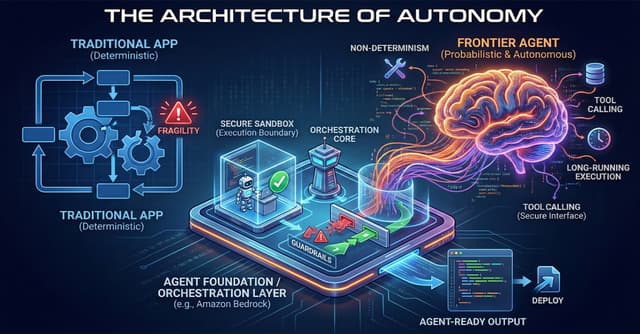
The Architecture of Autonomy: Why Your App Platform Can’t Handle Frontier Agents
Continue reading